
Comment Converter makes it easy to edit a follower and delete a comment they left on a post
In this article, you’ll learn how to edit a follower by deleting a comment they left in Comment Converter.
1. Navigate to your WordPress site’s dashboard.
2. From the WordPress admin menu select Converter to access the Comment Converter dashboard.
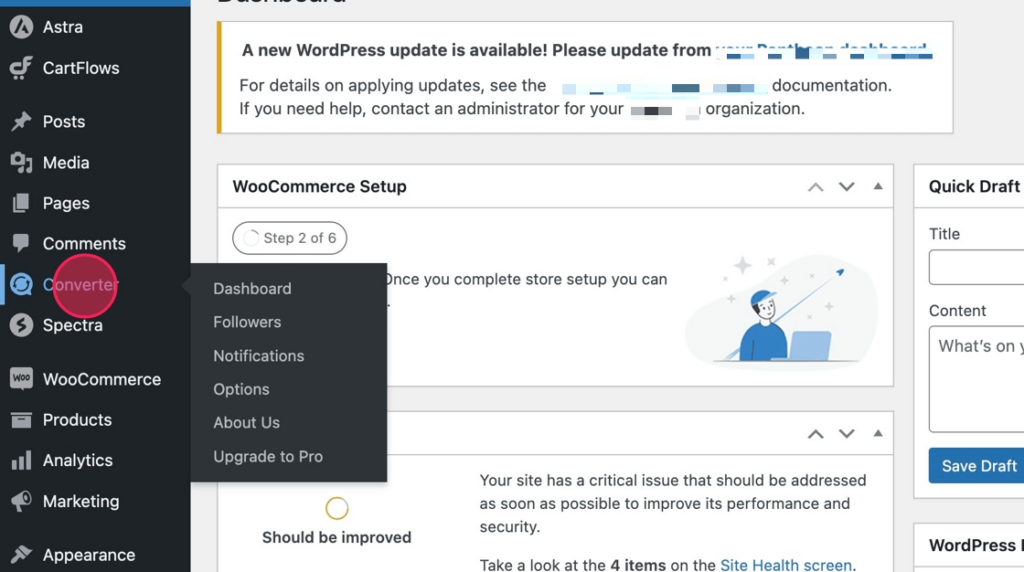
3. Next, from the dashboard, select the Followers link from the Comment Converter menu

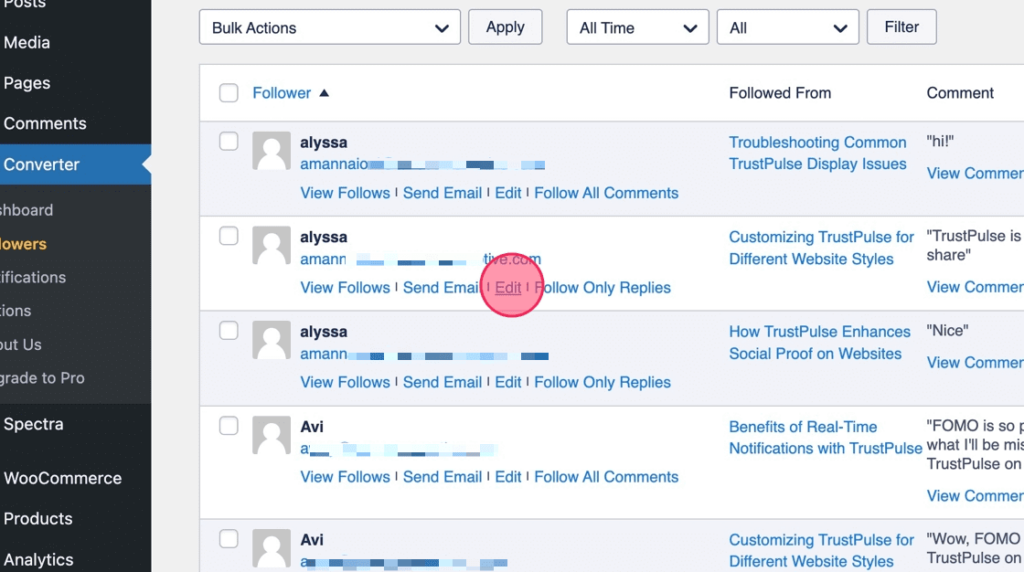
4. From your list of followers, select Edit from the follower you want to delete a comment from.
5. Next, click the trash icon beside one of the listed Followed Comments.

6. Select Proceed to complete the deletion
